
Google Business Profile Guide for Financial Advisors
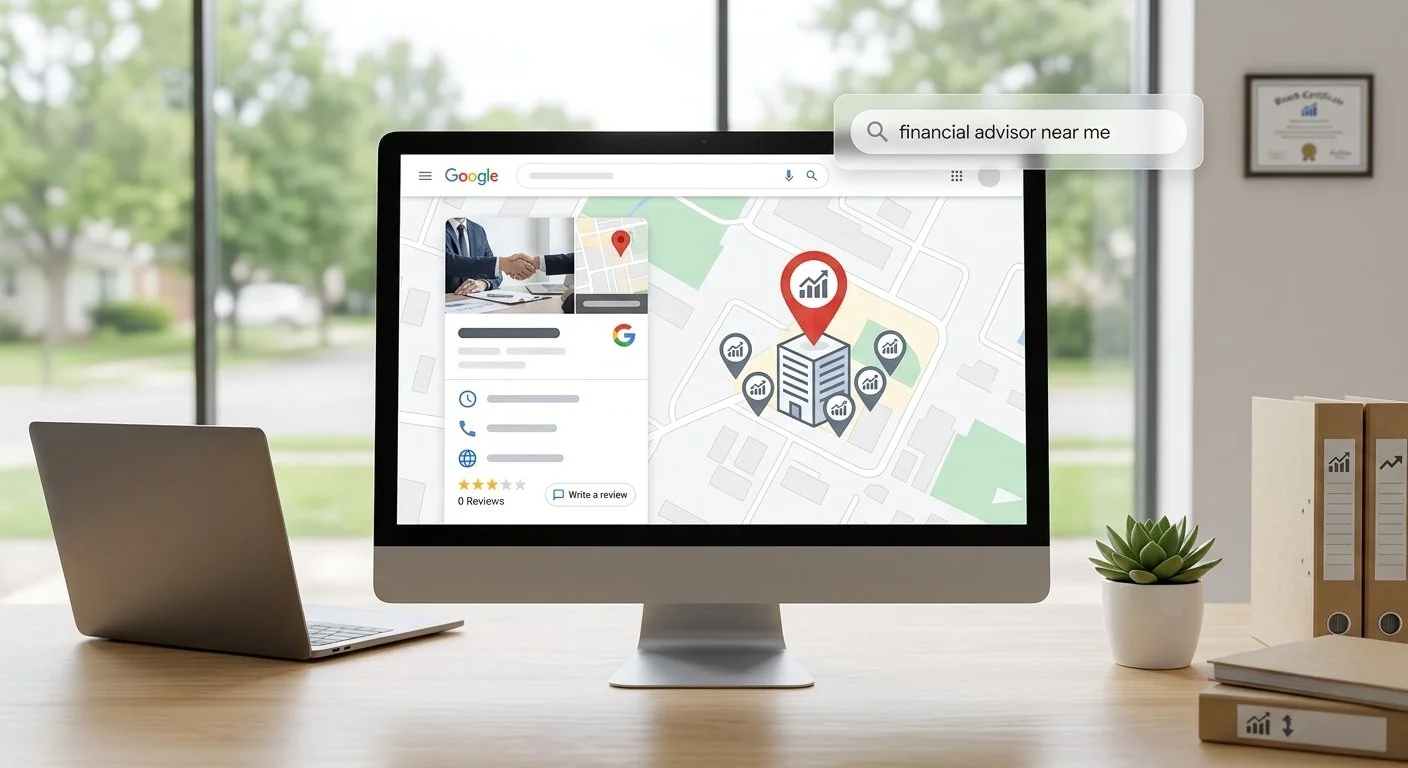
A Google Business Profile is the free Google listing that controls how your practice appears in Google Maps and in the Local Pack, the three local businesses Google shows above the standard results for searches like "financial advisor near me." A verified, complete profile is often the first thing a local prospect sees, so it is the first thing to get right.
You'll leave with the verification timelines Google publishes, a method-by-method table, the three factors Google says drive local ranking, what changed on profiles in 2026, and a plain checklist of what to clear with compliance before anything goes live.
What Is a Google Business Profile for Advisors?
A Google Business Profile for an advisor is a free listing that holds your firm name, address, phone number, hours, website, category, photos and reviews, and displays them in Google Search and Google Maps. A solo advisor and a five-person RIA (a registered investment advisory firm) use the same tool with the same fields.
Local SEO is the work of improving how a business appears for place-based searches, and the profile is where that work starts. The Local Pack lists profiles, not web pages. A verified profile is also one of the few ways financial advisors stand out online that costs nothing to start.
Check eligibility before you apply. Google's Business Profile guidelines sort advisors into one of four groups:
Clients visit your office: show the address on the profile.
You work from home or meet clients elsewhere: hide the address and list a service area, which should stay within about two hours' drive of where you are based.
You rent a mailing address or virtual office: that location is not eligible.
You never meet clients in person: Google's guidelines require in-person contact with customers during your stated hours, so a phone-and-video-only practice appears to fall outside the rule.
If your practice sits inside a larger firm or a broker-dealer, ask who manages the existing listing for your location and whether firm policy requires approval before you create or edit one.
How to Create a Google Business Profile in 5 Steps
You create a Google Business Profile in five steps, and step one prevents a duplicate listing.
Search Google Maps for your practice name. If a listing already exists, claim it instead of creating a second one.
Sign in with a Google account your firm controls, then claim or create the profile.
Enter your business name, address and phone number exactly as they appear on your website. RIA principals should use the firm name as it appears on Form ADV.
Choose a primary category, such as "Financial planner" or "Financial consultant," that matches what you do. Have compliance confirm it fits how the firm describes its services.
Complete the verification method Google offers you.
What NAP Consistency Means for Local SEO
NAP consistency means your business name, address and phone number match exactly on your website, your profile and every directory that lists them. Those directory listings are called local citations.
Take a made-up firm, Maple Street Wealth Partners. Its profile says Suite 200, its website says Suite 2B, and an old directory still shows the previous phone number. A prospect and a search engine both see three versions of one practice. Check suite numbers and phone numbers first, because those details drift the most.
How Long Does Google Business Profile Verification Take?
Google Business Profile verification review takes up to 5 business days after you finish the steps, and a postcard code most commonly arrives within 14 days. According to Google's Business Profile Help documentation, postcard codes expire after 30 days.
Google decides which methods your profile can use, based on factors such as your business category, region and hours, and you can't change that. If Google shows more than one option, you can try another. The methods its help page describes are below.
If Google assigns a postcard, tell whoever opens your mail that it is coming. A code that sits in a mailroom past day 30 expires, and requesting a new code before the first one arrives cancels the first.
What to Do If Your Google Business Profile Is Suspended
If your Google Business Profile is suspended, submit a reinstatement appeal through Google's appeals tool, with evidence that shows the same business name and address as your profile. Google emails its decision, and it may allow an additional review if the first appeal is denied, so assemble your evidence before you submit anything.
Fix what triggered the suspension first. Common triggers are an ineligible address such as a virtual office, extra keywords in the business name, and edits that make the profile conflict with your website or registration documents. If the fix means changing your firm name or description, send the new wording to compliance before you submit it.
Which Google Business Profile Features Should Advisors Fill In?
Four Google Business Profile features shape what a prospect sees and what you can edit: reviews, category, posts and photos. Check reviews weekly, confirm hours every quarter, refresh photos twice a year, and set the category once.
Reviews: Reviews are outside proof, and your replies are public. Reply in short, general terms, and read the compliance rules below before you ask anyone for a review.
Category: Your primary category tells Google what your practice does. Pick the closest match, have compliance approve it, and change it only if your services change.
Posts: Google Posts carry short updates, such as a retirement planning workshop date. Each one is public, so it gets the same review as any other client-facing message.
Photos: Upload the office entrance, the meeting room and team headshots, so a new client recognizes the place and the people before they arrive.
Reviews come first for advisors, because a prospect is deciding whom to trust with their savings. According to BrightLocal's 2026 Local Consumer Review Survey, 97% of consumers read reviews for local businesses and 41% always do. The survey covers local businesses in general, but it describes how a prospect comparing three Local Pack listings behaves. Google's own ranking guidance adds that more reviews and positive ratings can help your local ranking.
Upkeep repeats every quarter. Give it an owner and a review date inside your financial advisor marketing plan, next to your email list, content calendar and referral process.
Google reports activity on your profile, such as calls and website clicks. Track those numbers beside the financial advisor marketing metrics you already follow for your website, because they answer a different question: how often a prospect found your listing.
Google Business Profile Fields for an Advisory Practice
Three text fields sit around those four features: description, services and hours. Fill in each one in the same words your website uses.
Description: Say who you serve, where, and what you do in plain words, such as "retirement income planning for physicians in Tampa." Leave out returns, rankings and superlatives, and send the text to compliance.
Services: List each service by its own name, such as retirement income planning or college funding plans, instead of one line that says "financial services."
Hours: Enter the hours clients can reach you, and update them for holidays so a prospect never gets a wrong time from your listing.
How Does Google Rank Local Results for Advisors?
Google says local results are based primarily on relevance, distance and prominence. Its Business Profile Help page on local ranking defines each one:
Relevance: how well your profile matches what someone searches for. Your category, description and services are the levers.
Distance: how far your business is from the location term in the search. You can't change it, which is why an accurate address matters.
Prominence: how well known your business is. Google says it draws on information from across the web, such as links, articles and directories, and that review count and score factor in.
The same page states that there is no way to request or pay for a better local ranking. For a practice with one office, that leaves relevance and prominence as your work: a precise category, a plain-language description, a steady flow of reviews, and a website and directory presence that match your profile.
Local SEO vs. General SEO: Which Wins for Advisors?
Local SEO wins "near me" searches, while general SEO wins broader topic searches and builds long-term authority. They use different tools and answer different questions.
If you already publish articles, the profile is the local half of the same work. Your articles build authority for topic searches, and the profile ties your practice to a place.
Your website can reinforce the local side. LocalBusiness schema, or its FinancialService subtype, is code that states your name, address and phone number in a machine-readable form, and it belongs on your contact page.
Advisors need both. I'd start with local SEO for a single-office practice, because verification can take up to 5 business days and a postcard code up to 14, so the clock starts the day you apply.
What Changed on Google Business Profile in 2026
Two changes matter for advisors: Google retired the profile Q&A section, and it has been rebuilding native messaging around an AI agent.
BrightLocal's April 2026 guide says Google officially discontinued Q&A and replaced it with an AI experience called Ask Maps. Footbridge Media reports that Ask Maps answers questions using content from your profile, including reviews, descriptions and photos, and that the rollout is gradual. You can't pre-approve an AI-generated answer, so your written description and your review replies are where your control sits. Accurate, consistent details are also what help an advisor get recommended by AI search.
Messaging has been unstable. Launchcodex reports that Google removed its original profile chat in July 2024, and BrightLocal says Google later offered a WhatsApp or SMS chat option instead. Launchcodex adds that a new messaging experience, in which an AI agent answers customer questions from your profile and website before handing off to a person, appears to be in pilot for limited accounts. Because that rollout is limited, check whether a messaging option appears on your own profile before you plan around it.
If an AI agent ever answers prospects in your firm's name, the usual questions apply: who approves what it says, and how are the conversations kept? Ask compliance before you turn on any messaging channel, and ask how the messages are archived.
Local Pack rankings and AI answers are two different places a prospect can find you. They draw on different signals: in Ahrefs' August 2025 study of 15,000 long-tail queries, about 12% of the URLs that AI assistants cited also ranked in Google's top 10, which is why SEO versus AEO is a real choice about where to spend your time.
Compliance Rules for Advisor Google Business Profile Content
A regulated advisor can't write a Google Business Profile description or answer a review the way an unregulated local business does. Start by asking your compliance team or consultant what you can and cannot publish.
The SEC's Marketing Rule, 17 CFR 275.206(4)-1, prohibits advertisements that include an untrue statement of a material fact or omit a material fact needed to keep a statement from being misleading, according to Cornell Law School's Legal Information Institute, which reproduces the rule. Whether a given profile element counts as an advertisement is your compliance team's call, and the rules that apply depend on how your firm is registered. Broker-dealer representatives also answer to FINRA's communications rules.
Reviews carry the most Marketing Rule risk. Kitces Research notes that the rule defines a testimonial as a statement by a current client, and that third-party content becomes your advertisement when you adopt or entangle yourself with it. Compliance experts quoted by WealthManagement.com have argued that soliciting and promoting Google reviews does exactly that, while others read the rule less strictly. The SEC Division of Examinations' December 16, 2025 Risk Alert named missing disclosures when a testimonial or endorsement is published as the most common Marketing Rule deficiency.
That is why a review-request script, a rule about promoting your star rating, and a reply template all need compliance sign-off before you use them. Use the lists below as a starting checklist, and confirm each line with compliance.
Do:
Thank a reviewer in general terms, without confirming they are a client, since a public reply would otherwise reveal a client relationship.
Flag a review for removal if it names specific performance results or breaks Google's review policy.
Describe who you serve and where, in plain language.
Ask how to display your credentials. Bodies such as the CFP Board may set rules for how their marks appear in public.
Ask any vendor that manages your listing to show you each change before it goes live.
Don't:
Write a profile description that claims specific returns or rankings.
Reply to a review with anything about performance or account details.
Tell prospects to "check out our Google reviews," or advertise your star rating, until compliance has cleared it.
Review adds friction, and it also produces a profile where every claim has been checked. A prospect comparing three listings in the Local Pack is comparing trust, and a profile with visible credentials, accurate hours and careful replies reads as more trustworthy than one that promises results.
Next Step: Claim Your Google Business Profile This Week
Search your practice name on Google Maps today, then claim or create the profile and start verification. Send your draft description to compliance the same day, so approval runs while Google reviews your verification.
The setup is an afternoon of work you can finish yourself. A citation audit, LocalBusiness schema and a review-reply process that compliance will sign off on take longer, and they go faster with someone who has worked through advisor compliance reviews. If you'd rather hand that part off, book a Google Business Profile strategy call with me, and we'll go through your current listing, decide what to fix first, and plan how each change gets cleared.